All products

Developer tool

SolvBench

Mission control for your simulation's solver.

The desktop app that turns solver selection from guesswork into evidence. SolvBench orchestrates Scout, Tune, and the runtime — characterize your problem, benchmark the candidates, apply the winning config, and watch the solver work in real time.

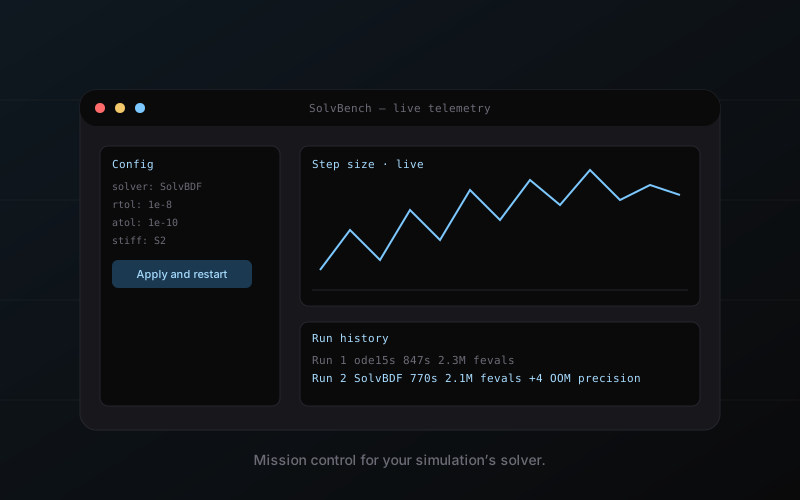
Desktop application interface showing live solver telemetry and a solver comparison view.

Imagine yourself in these moments. Same product, different industries.

Simulation engineer

The friction the plugin could not solve.

A simulation engineer has ten ODEs to run per week. Every one needs the right solver, the right tolerances, the right telemetry, and a record she can show her boss. Today that is a script, a notebook, and three open browser tabs of vendor documentation.

Imagine a desktop application that treats solver selection the way a modern IDE treats compilation: evidence, choices, feedback, profile. Drop in a system. Watch Scout fingerprint it. Watch Tune benchmark the contenders. Pick the winner. Apply. Run. See the live solver telemetry as it integrates. Archive the profile. Reuse it next week.

Engineering manager

The conversation about why the simulation is slow.

Every engineering manager has the same recurring meeting. “Why is simulation slow this quarter?” The engineer does not know. The solver is a black box. The tolerances were set six months ago. The right answer is probably to re-benchmark, but nobody has the time.

SolvBench makes that re-benchmark a five-minute ritual, not a three-day project. The manager’s recurring meeting becomes a status check, not a mystery.

Enterprise procurement

The audit trail that wasn’t there.

An aerospace program is shipping a flight controller. An auditor asks why they chose the solver they chose. The team cannot produce a single document. They remember benchmarking, but the results are on someone’s laptop and that laptop is in Tucson.

SolvBench keeps every benchmark, every apply, every run in an encrypted profile database. Export the audit trail as a PDF. The auditor is satisfied. The program keeps moving.